








 Tweet
Tweet
Originally posted by Speed Pujari
View Post
-
Too good man.I know they are real but I was of the impression that you used some kind of filter to give the drops the kind of feel that it's able to generate.Looks very refreshing. -
Posting two images.The second one is the cropped version of the first.Not able to decide as too which one looks better. The second one looks better as a wallpaper while the first one looks better in normal viewing.
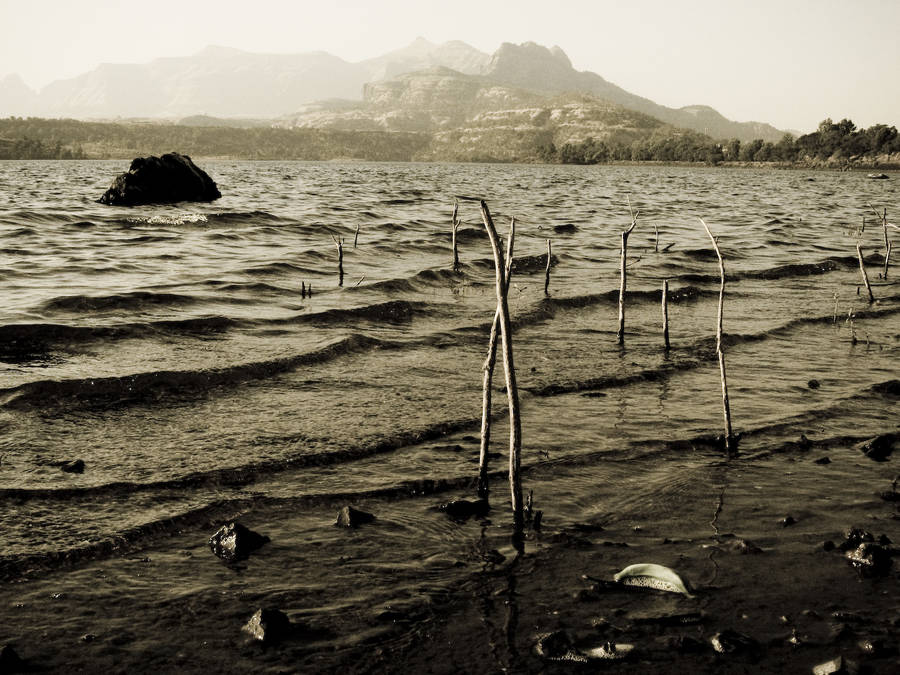
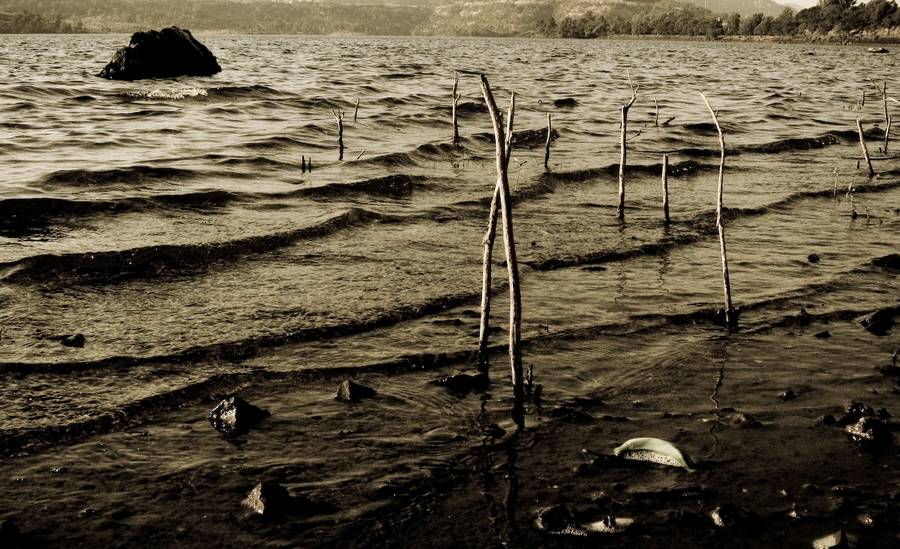
Focal Lenght:7.9mm
Exposure Time:1/500sec
Aperture:F/7.1
Camera:A570ISComment
-
to me #1 is good. Cropping can change the subject feel. Try cropping the whole horizon so as to focus on the sticks.Originally posted by MG_Biker1806 View Post
Recommendation- Try using a gradient filter to give a better DOF feel.
Thanks dude. I have used only levels and curve , framed using conventional framing tech in PP and added a little vignette using lens correction filter. overall 10 min work ;-)Originally posted by MG_Biker1806 View PostComment
-
-
You mean gradient filter in Photoshop?Originally posted by Speed Pujari View Post
A question to all the "Photography & Critique" thread regular.
Any landscape image which is clicked between 9.00a.m to 5.00p.m suffers from harsh light and as I tour I cannot avoid the timing and its very difficult to go to every place either in morning or evening.How to cope up with this problem?Comment
-
Currently I am only online so I'll tell what I do or I did.Originally posted by MG_Biker1806 View Post
I had been facing this problem many times, the pic becomes very contrasty, or the colors are either overly saturated or blown up.
This problem was quite frequent in andamans. One way was I used a UV filter+ polarizer. It helped to some extent.
Use a hood while in outdoor.
and thirdly , I dunno to what extent it may help others, but I kept on playing with metering. with a default setting all the shots may not work well, keep switching for a better exposure since the sensor becomes uncertain during hot and harsh weather.
With a polarizer, maintain a perpendicular orientation from sun.
Keep your cam in a normal vivid mode and avoid extra vivid mode as it can give overly saturated results.
U can also try HDR to get foreground and background in good exposure.Comment
-
Originally posted by MG_Biker1806 View Post
u underexpose.and go on either avg or multi metering.underexposed can be recovered in LR or PS but overexposed has its blows too.once it has become white its gone.
anvancy.there are no stupid questions.
but there are stupid people.Comment
-
MG i like the second one.
the wide feel crop is warm and nice!there are no stupid questions.
but there are stupid people.Comment
-
-
Some possible solutions:Originally posted by MG_Biker1806 View Post
1. Just don't shoot at those times. Photographers generally snooze at those times. I never shoot at those times.
2. But if you must, use filters. They don't come cheap, need care and come mostly for SLR's.
3. Most people now days avoid real filters and their argument is that u can do the same in Photoshop than why bother, well it's upon you to decide.
Real photoshop require real skills. If you have it go ahead make your day!!
4. Polarizer might help but upto a certain extent.
This is as confusing as it sounds. The sensors job is to capture light, you decide how much and for how long so please don't blame the poor sensor!!Originally posted by Speed Pujari View Post
One approach is to use spot metering, by using it u can meter different areas of your frame from the darkest to the lightest then get a average reading out of it and shoot on that aperture setting. This works best in aperture priority mode, where your shutter speed remains constant.
The trouble is many prosumer SLR's don't come with spot metering.Comment
-
Here are a couple of macros from a recent nature trail.
Any feedback on improving these shots?My travel logs - http://twowheelsandme.wordpress.com/Comment
-
@angelo: I do not have any comment for the first picture, per se. But, as far as the second picture is concerned, I believe you wanted to shoot the lady bug (that is a lady bug, I suppose... ). Well, the focus is totally off of it. This could have been a phenomenal picture.
What kind of equipment are you using for macro shots like these?:)Comment
-
Yeah i was trying to shoot the lady bug, but the sun was right behind so i couldn't get the exposure right. I should have used spot metering mode. I used a canon sx100 IS with manual focus.My travel logs - http://twowheelsandme.wordpress.com/Comment
-
@Angelo: You use a digital camera. So, why don't you use the auto-focus? Auto-focus of the digital camera works wonders when it comes to macro photography. I have used a Canon Powershot S3 IS before I shifted onto the EOS 400D, and the auto-focus used to work wonders for me (of the S3 IS). :)
:)Comment
-
One reason i don't use autofocus for macro is that its hard to get it to focus on the intended subject unless the subject is in the center of the frame, will try experimenting a bit moreMy travel logs - http://twowheelsandme.wordpress.com/Comment
 , taken from behind the glass after rain.





Comment